The short answer
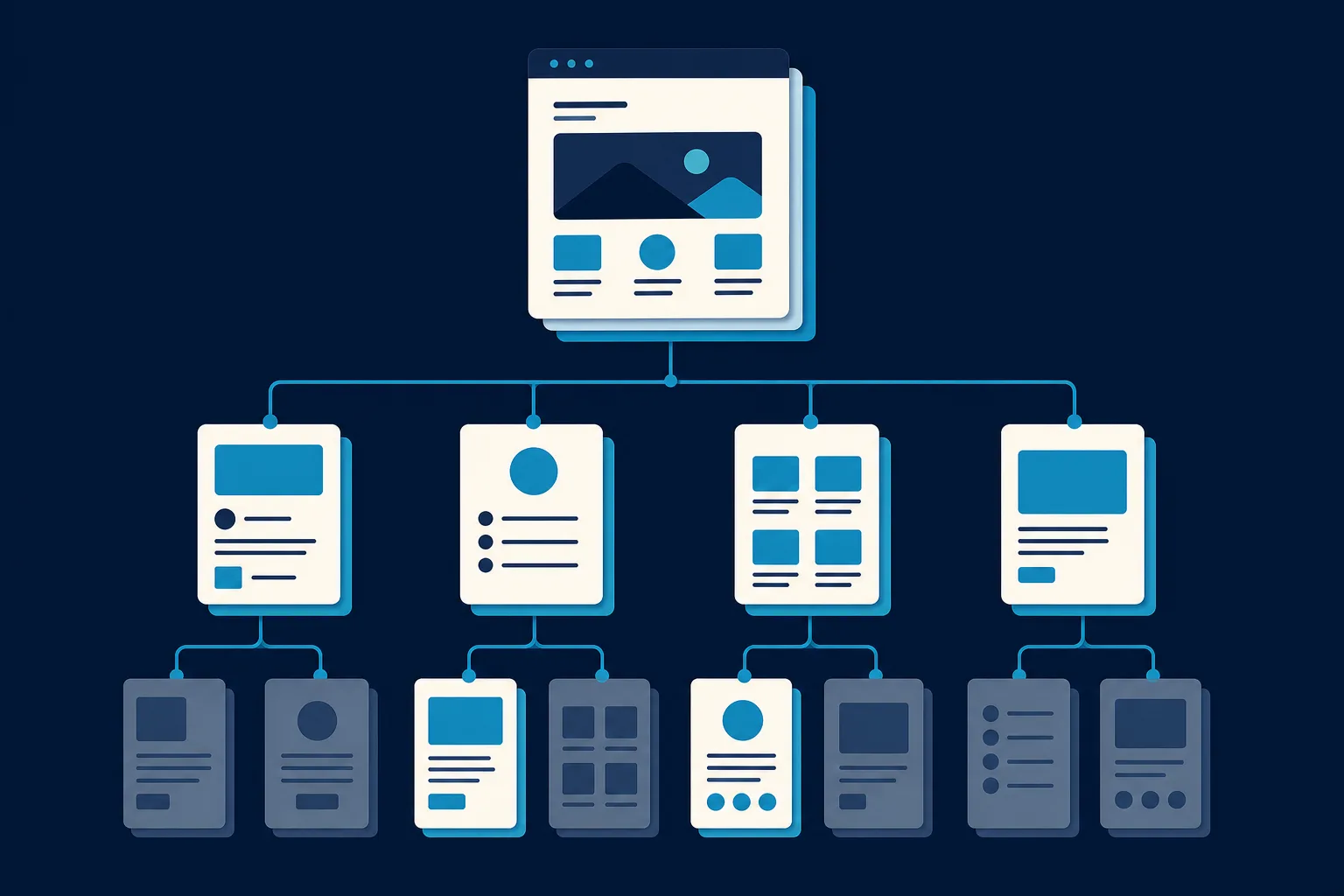
Launch with five to eight pages: home, services, about, reviews, contact, and a privacy policy. That covers everything a local service business needs to turn a stranger who found you on Google into a phone call.
The U.S. Small Business Administration lists five essentials: home, about, services or products, contact, and legal pages. That is a solid floor, and for a local service business the working version adds reviews or testimonials, because proof of past jobs is often what decides the call. Give each major service its own page rather than listing everything on one, so someone searching for drain cleaning lands on drain cleaning.
Add terms alongside your privacy policy if you take payments or bookings online. Everything beyond these pages, and there is a long list of everything beyond these pages, is optional and should earn its place before you build it. The harder part is not deciding which pages to have. It is filling them with something worth reading.
If you are asking what pages a small business website should have, you have probably seen the same list a dozen times: home, about, services, contact, maybe a blog. That list is not wrong, but it is generic, and it does not tell you the two things you actually need to know. Which pages should you launch with, and which are you safe to skip until later? For a busy local business owner, that ordering matters more than the raw list, because you do not have a free weekend to build fifteen pages before you go live.
This guide gives you the full menu, but it also ranks it. You will see the pages a small business website should have on day one, the ones worth adding in month two, and the ones most owners are told to build and never actually need. It is written for local and home service businesses first (roofers, HVAC techs, plumbers, cleaners, landscapers, electricians, restoration crews) and for anyone selling a service to people in a specific area.
The pages you launch with
These are the pages that do the work of turning a stranger who found you on Google into a phone call. Do not go live without them.
Home page
Your home page is the one most people see first, and often the only one they read before deciding to call you or hit the back button. Its job is to answer three questions in the first few seconds: what you do, who it is for, and where you do it.
That third one trips up a lot of local businesses. Someone searching "drain cleaning near me" is checking whether you cover their town before anything else. Put your service area in plain words near the top, not buried on a contact page. A specific headline like "Emergency water damage cleanup in Denver, available 24/7" beats a vague slogan like "Your trusted partner" every time.
The home page should also carry your phone number in the top corner, a clear next step (call, request a quote, book online), a few real reviews, and links into your service pages. Think of it as the lobby that points people where to go, not the place that has to say everything.
Services pages (and why one page is not enough)
This is the biggest gap in most "essential pages" advice. Articles tell you to have "a services page," singular. For a local business, that is usually a mistake. If you do roof repair, roof replacement, and gutter work, each one deserves its own page.
Two reasons. First, a customer with a specific problem wants a page that speaks to exactly that problem, with the questions they have about that job answered. Second, separate pages give Google distinct things to rank. Someone searching "furnace repair Boise" is far more likely to find a page titled "Furnace Repair in Boise" than a single catch-all "Services" page that lists ten things.
A good service page covers what is included, roughly how the process works, what makes your approach different, and an obvious way to get a quote for that specific job. You do not have to publish a full price list, but even a range ("most repairs run 400 to 1,200 dollars") filters out mismatched leads and builds trust with the right ones.
If you offer five services, that is a services overview page plus five individual pages. That sounds like a lot, but these pages are short and repetitive in structure, and they are the pages that actually rank and convert.
About page
People do business with people, especially for services that involve someone coming to their home. Your about page is where you turn a faceless company into a real crew. Share how long you have been at it, who is behind the business, the towns you serve, and why you do the work the way you do.
Keep it human and specific. A photo of the actual owner and team does more than three paragraphs of mission-statement language. This is also a natural home for trust signals: licenses, insurance, certifications, years in business, and any guarantees you stand behind. For home services, "licensed, bonded, and insured" plus a real warranty removes a lot of the hesitation that stops someone from calling a stranger to their house.
Reviews or testimonials page
Social proof is one of the highest-leverage things on a small business site, and the generic advice tends to underplay it. People trust other customers far more than they trust your own marketing.
You can sprinkle a few reviews on the home page and still have a dedicated page that collects the rest. Pull your best ones from Google, show the customer's name and town where it helps, and lead with a number: "Rated 4.9 stars across 180 Google reviews" carries more weight than a single quote floating on its own. For service businesses, before-and-after photos of your own jobs belong here too, since they are proof and portfolio at the same time.
Contact page
Make reaching you effortless. The contact page should have a tappable phone number, your hours (including how you handle after-hours or emergency calls), your service area in plain words, a short contact form, and a map or address if customers visit you. Network Solutions makes the point that this page should offer multiple ways to get in touch, not just a lonely form.
One rule that saves you jobs: keep every detail here identical to your Google Business Profile. When your hours change for a holiday or you add a town to your coverage, update both the same day. Mismatched details confuse customers and Google alike.
Legal pages
Not glamorous, but expected, and in some cases required. At minimum, most small business sites need a privacy policy that explains what data you collect, especially if you run a contact form, use analytics, or run ads. If you take payments, bookings, or deposits online, add terms of service that cover payment, cancellation, and disputes. These pages usually live quietly in the footer and do not need to be pretty. They just need to exist.
A useful test before launch: can a stranger figure out what you do, trust you, and reach you within one screen of scrolling on their phone? If yes, your core pages are doing their job.
Pages worth adding in month two
Once the core is live and calls are coming in, these earn their place next. None are urgent, but each solves a real problem once you have the basics down.
- FAQ page. If customers keep asking the same questions before they book, answering them on a page saves you time and catches search traffic from people typing those exact questions. It also quietly reduces the phone calls that are questions rather than jobs.
- Service area or location pages. If you cover several towns, a short page for each ("HVAC Repair in Naperville") can help you show up for searches in places you do not have a physical address. Do this honestly, with real content per town, not the same page copied with the name swapped.
- Financing or pricing page. For higher-ticket work like roofs or full HVAC systems, a page that explains financing options or typical price ranges removes a common reason people stall.
- Gallery or portfolio. Landscapers, remodelers, cleaners, and restoration crews all benefit from a page of real project photos. It is proof you can do the work, in your own hands, on real jobs.
- Booking or appointment page. If you run on scheduled appointments (cleaning, wellness, inspections), an online booking page can capture jobs at night when your phone is off.
- Blog. Useful for search over the long run, but honestly the slowest payoff on this list. Skip it until the pages above are solid, then use it to answer real customer questions, not to churn out filler.
Pages you are probably told to build and do not need
Plenty of website advice pads the list to sound thorough. For a small local business, several commonly recommended pages are optional at best.
- A separate "team" page, unless your team is genuinely a selling point. For most crews, a few faces on the about page is enough.
- A press or media page, unless you actually have press.
- A careers page before you are hiring. Add it the week you post a job, not before.
- A sprawling resources or knowledge base. This suits software companies, not a three-truck plumbing outfit. Answer common questions in an FAQ instead.
- A newsletter signup as a main page. A small footer signup is fine. It does not need its own real estate.
The point is not that these are bad. It is that every page you add is a page you have to write, maintain, and keep accurate. A tight site of eight good pages beats a sprawling one of twenty half-finished ones, a trade-off the Squarespace guide to business site content also stresses when it says to let the site grow with the business rather than front-load everything.
How many pages is the right number?
There is no magic count, but a useful frame is: one page per decision a customer needs to make. They need to decide you do their job (service page), that you are trustworthy (about and reviews), and how to reach you (contact). The home page ties it together, and the legal pages keep you covered. That is the natural five to eight for most local businesses. E-commerce and larger operations need more, but if you are a service business reading this, you almost certainly need fewer pages and better ones, not more.
The part nobody tells you: filling the pages is the real work
Here is the honest catch. Knowing which pages you need is the easy part. The reason most small business websites never get finished is not that the owner picked the wrong pages. It is that sitting down to write a home page, five service pages, an about page, and a reviews page from a blinking cursor is a job that keeps getting pushed to "next weekend" for a year.
This is the gap Saynovo is built to close for local service businesses. Instead of handing you an empty page menu to fill in, it reads the Google Business Profile you already keep up to date and stands up the core pages around what it holds, your hours, your photos, and your reviews, so you begin with a working draft rather than a blank structure. Your services and your service area were never in that profile, so you say those and the pages fill in. When a page needs a change (splitting one service into two, moving your best reviews higher, adding a town you now cover), you say what you want in plain words and it updates, with no builder to learn. That first version from your profile does not cost anything, so you can see the pages laid out before deciding anything.
Where this leaves you
The list of pages a small business website should have is shorter and more opinionated than most guides admit. Launch with a home page, real service pages, an about page, reviews, a contact page, and your legal pages. Add an FAQ, location pages, and a gallery once calls are coming in. Ignore the pages that pad a checklist but do not help a customer decide to hire you.
Do that, and you have a site that covers the essentials without drowning you in work you will never finish. The right pages are the ones that answer a customer's real questions and make the next step obvious. Everything past that is decoration you can add later, if at all.